
Built for the way time slips.
Most lists ask you to remember to look at them. Petodo does the remembering and comes to you.
Out of sight, out of mind
The list sits on top of every window and stays out of Alt-Tab. If something pushes it behind, it comes back to the front by itself within seconds.
Time you can see
Nudges at 15, 10 and 5 minutes, then a live countdown that stays pinned for the last five. About ten minutes out, the pet walks over to your mouse pointer and says what is next.
Starting, and staying on it
Press Working on it and the task shows how long you have been at it. After half an hour the pet checks in: still on it, done, or time to stop.
The things with no time on them
Tasks without a time do not vanish. Every twenty to forty minutes, without a sound, the pet mentions one that has been sitting a while.
On your phone, too.
The same list and the same pet on iPhone and Android, synced with your computer when you sign in.
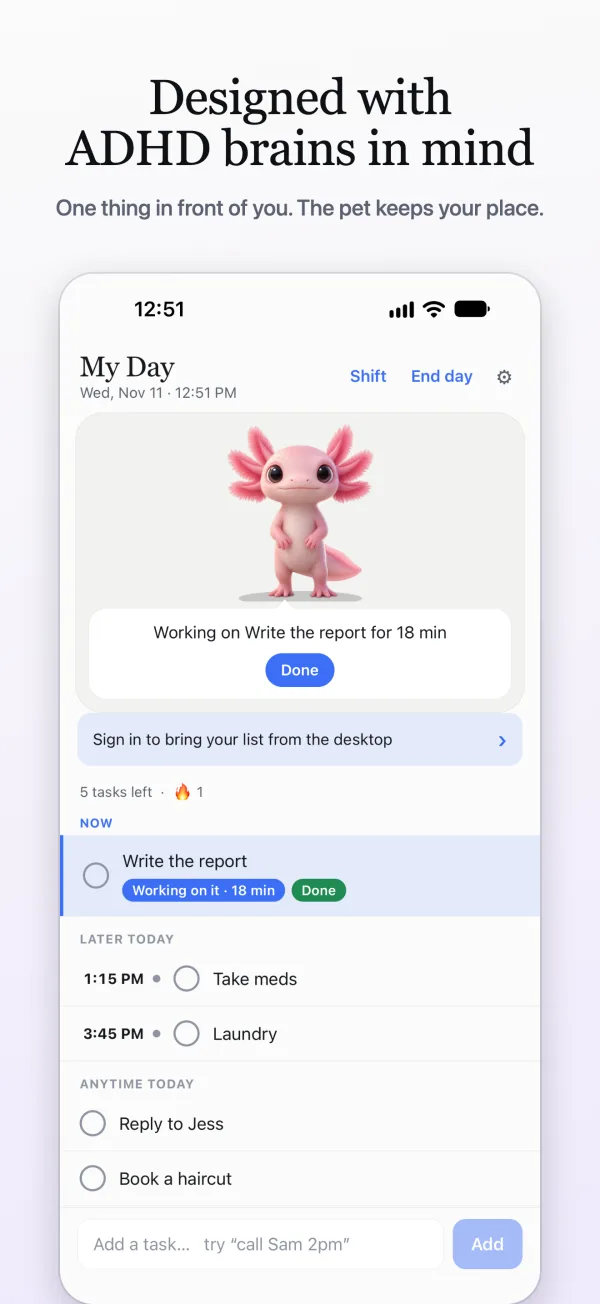
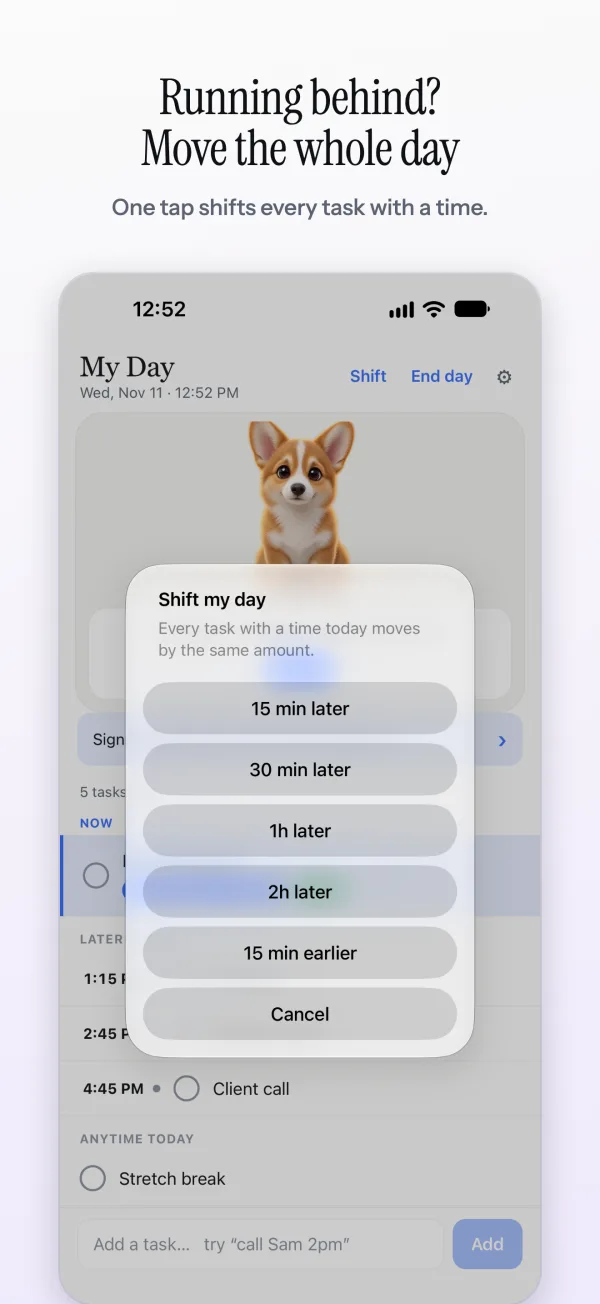
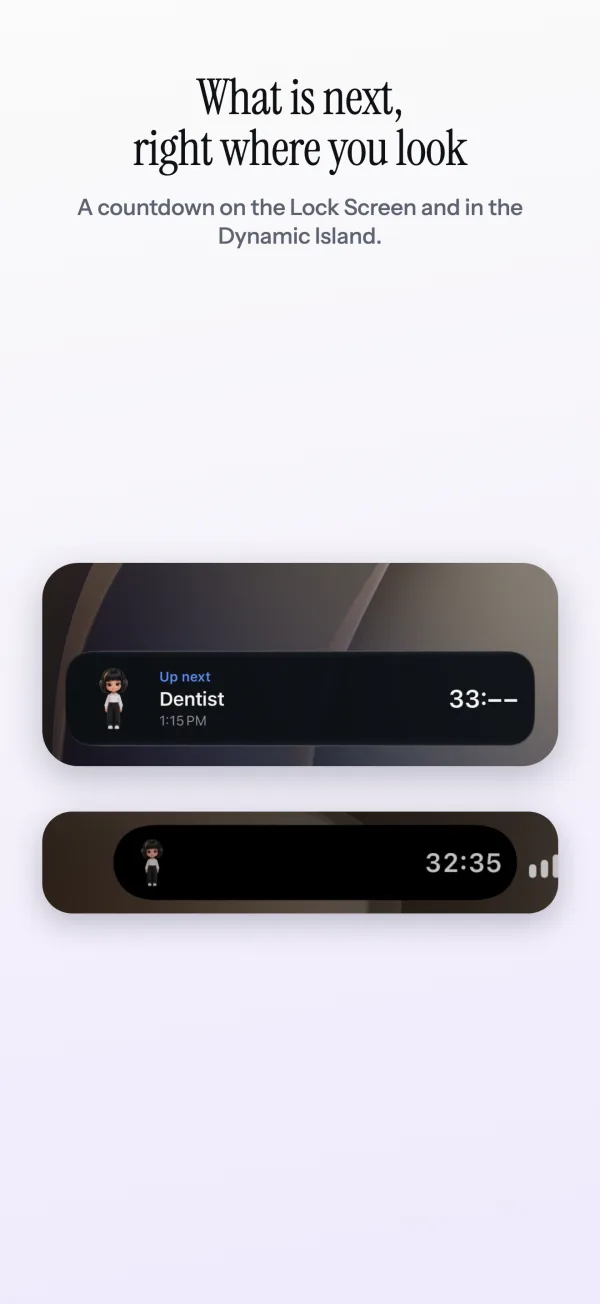
iPhone screens from the next update. Shift my day and the moving widget are already on Android; on iPhone they come with the update, along with the Lock Screen countdown and Siri.
Reminders that keep going until it's done.
A notification you can swipe away is easy to lose. Switch on Keep reminding me until it's done and an overdue task comes back every few minutes, each time a little firmer, until you tick it off. Finishing the task is the only way to quiet it.
It can follow you: to your phone, to Telegram, and to a Pavlok band if you want a buzz. You choose how often, when it gives up, and whether it ever goes past a gentle buzz. Nagging is part of Pro, which you can try free for 14 days.
- 1:55 PMCall Sam: a countdown pinned on screen.
- 2:01 PMOverdue: a reminder on your phone, and in Telegram.
- 2:11 PMAgain. With a Pavlok, a gentle buzz.
- 2:21 PMAgain, one step firmer.
- DoneTick it off anywhere and all of it stops.
Type it the way it's in your head.
No forms, no date pickers. Write “dentist tomorrow 3pm” or “in 30 min” and the time is read out of the words, with a chip that shows what it understood before you press Enter. Repeats work the same way: “water the plants every day at 8”.
The list keeps itself in time order, soonest first, and anything due in the next hour floats to the top.
What Petodo is, and what it isn't.
Petodo is a to-do list with a pet. It is not a treatment, a coach or a medical product, and it will not tell you an app fixes anything. It keeps your tasks in front of you and comes to find you when one is due. Plenty of people find that is the part they needed.
Body doubling without a video call
A companion on your screen and a check-in every half hour.
Read itA to-do list on top of every window
Why a list you cannot lose behind a window works, and how to set one up.
Read itReminders that nag until it's done
Why one-shot notifications fail, and how to set up a reminder that keeps going.
Read itQuestions people ask
Is Petodo made for ADHD?
Petodo is a to-do list for anyone whose list keeps disappearing behind other windows, which is a common ADHD complaint. It is not a treatment or a medical product, and it makes no health claims. What it does is keep the list in view, read times out of plain words, and keep reminding you until a task is done.
Can it keep reminding me until I do the thing?
Yes. On the desktop, the last five minutes before a task hold a countdown on screen until you press Done or Snooze. With Keep reminding me until it's done switched on, it carries on after the time has passed, every few minutes, until you tick it off, on your phone, in Telegram and on a Pavlok band if you use one. That is part of Pro, which you can try free for 14 days.
Will a pet on my screen be distracting?
It sits still most of the time and only moves to tell you something. Ghost mode lets clicks pass straight through it, it hides itself in fullscreen apps, and it falls asleep when you step away. Every reminder sound and nudge has its own switch.
What is “Working on it”?
Press it on a task and Petodo shows how long you have been on it. After half an hour the pet asks “Still on it?” with what else is waiting. Answer Done, Still on it, or Stop. It is a check-in, so a task you started does not turn into a whole afternoon.
Is it free?
Yes. The pet, plain-word tasks, reminders, the countdown, snooze, repeating tasks and the walk-over are free for good. Pro adds reminders that keep going until done and follow you across devices, with 14 days free to try.