Free for Mac & Windows

Your AI-powered pet that makes sure you get things done.

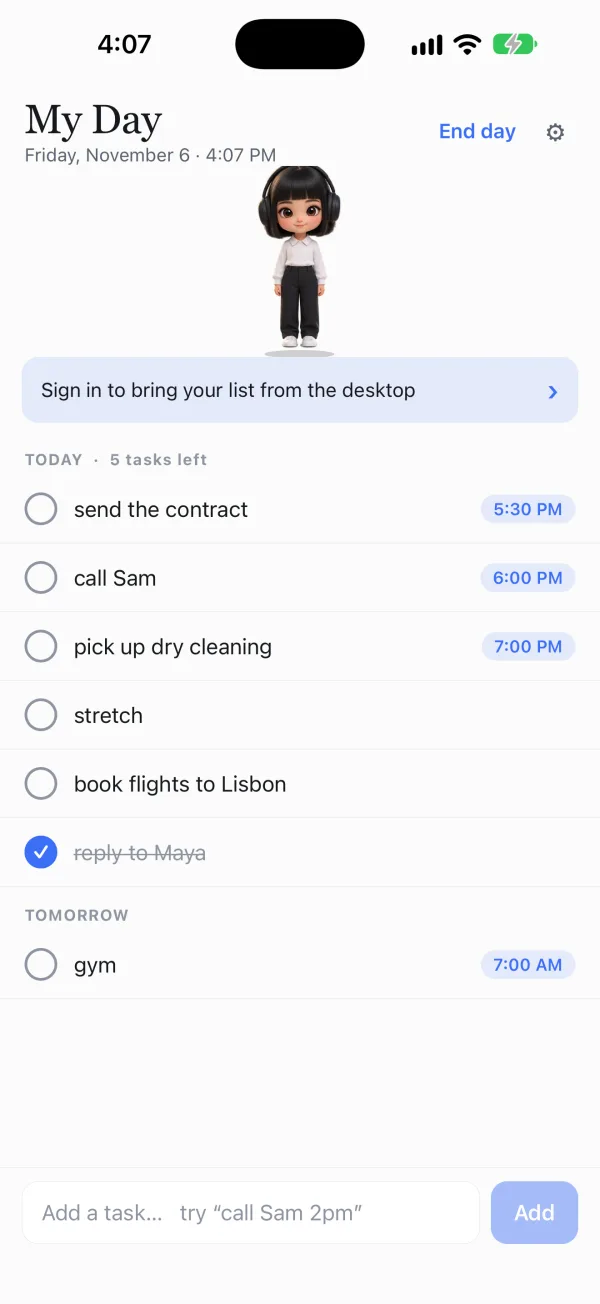
The same to-do list and pet on your phone. Type “call Sam 2pm” and it schedules itself. When something is due, your pet pops up over whatever app you're in, and lives on your home screen as a widget.

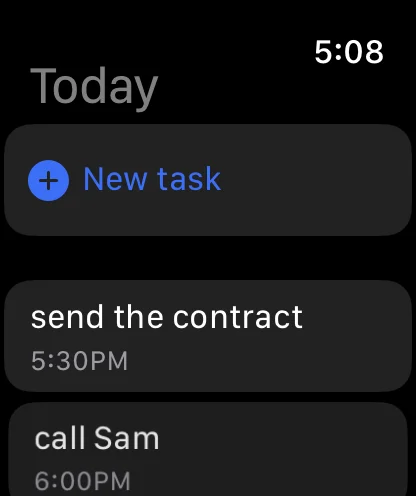
The same to-do list and pet on your iPhone and Apple Watch. Type “call Sam 2pm” and it schedules itself, and reminders come with Done and Push back right on the notification.

Petodo is a to-do list that sits on top of every window, held by a small animated pet. Type “call Sam 2pm” and it schedules itself. When the time gets close, your pet walks over to your mouse pointer and says so. It hands work to your AI agents too.

Version 1.0.9 · 78 MB · Windows 10 and 11

Also free for Mac and Windows: open petodoapp.com on your computer.
Also on your phone Download on the App Store Download forAndroid
Psst, standup is coming up
in 9:41
DoneSnooze
z z
No account, no sign-in Your tasks stay on your machine Updates install themselves
Free, with eight pets (twenty with Pro) The same list as your computer Done and Push back on the notification
Watch

See it in 25 seconds.

Five short films, every screen from the real app.

What it does

A to-do list you don't have to go and look at.

Most lists sit in a window you have to remember to open. Petodo lives on top of everything, so the list comes to you.

Type it the way you'd say it

Write “call Sam 2pm” and the task schedules itself for 2:00 PM. It understands 14:30, at 2, tonight, tomorrow 9am, in 30 min. A chip shows what it read before you commit, so it never guesses behind your back. And “buy 2 apples” stays exactly that.

call Sam 2pm|
Today at 2:00 PM
call Sam 2:00 PM
send the contract 4:30 PM
book the flights

Anything due in the next hour floats to the top on its own.

It won't let a deadline slide past

You get a nudge 15, 10 and 5 minutes ahead. Then, inside the last five minutes, the bubble stops disappearing and holds a live countdown until you deal with it. A notification you can miss isn't a reminder.

4:12
until “send the contract”

Stays pinned until you hit Done or Snooze.

It comes and finds you

About ten minutes before something is due, your pet walks across to wherever your mouse pointer is, waves, and says “Psst, X is coming up soon”. Click the bubble and you're on that task, ready to edit.

z z
Psst, standup is coming up
in 9 minutes

Multi-monitor aware. Walks back when it's done.

It dances to whatever you're playing

When sound is coming out of your speakers the pet starts moving: on the beat, not on a timer. It picks out the drum hits, works out the tempo, and speeds up for a faster track. Nothing is ever recorded; it reads one loudness number, ten times a second.

z z

Short chimes and notification blips are ignored on purpose.

Your AI assistant can use it too

Switch on cloud sync and an assistant like Claude can add, update, complete and report on your tasks through a private API key. Anything it creates goes through the same path your typing does, so “call Sam 2pm” from an assistant gets its time parsed and its reminders armed, exactly like one you typed. Off by default.

// your assistant, on your list
POST /api/todos
{ "title": "call Sam 2pm" }
call Sam 2:00 PM

Your pet tells you when something changed behind your back.

Put your list somewhere you can't miss it. Free, no account, set up in about a minute.
Petodo for AI agents

Give your AI agents superpowers.

Hand work to your agents the way you'd write yourself a reminder, without leaving what you're doing. Petodo delivers each task on time, keeps your agents on it, shows you where they are, and ticks it off when they're done. Made for people who are serious about getting things done.

Hand off a task in one line

Start a task with @ and pick the agent. At the time you gave, Petodo sends the errand straight to that agent. No switching apps, no copy and paste, no remembering to ask.

Connect your Telegram bot

Connect your own Telegram bot and Petodo talks to your agents' bots through it directly, one to one or in a shared group. Add, finish and push back your own tasks from the chat too.

See where every agent is

Each errand moves from Started to Working on to Done right on your list. The pet tells you when it changes, and the task ticks itself off when the agent reports back.

Agents that work together

An agent that needs help asks another one (ask @DataBot: …) and Petodo keeps it on the same task. The rules are posted in the group, so every agent knows how to answer and nobody talks in circles.

Claude and your assistants on your list

Claude Desktop, Claude Code and Cursor connect through the Petodo MCP server, and any assistant that can call an API gets its own key. They add, update, finish and report on your tasks, with times read exactly as if you typed them.

You stay in control

Every task an agent touches shows up on your list, the pet tells you when something changed behind your back, and each assistant's key can be taken away in one click. You direct the work; the agents do it.

Agent errands and the Telegram bot are part of Pro, which comes with 14 days free to try. How agent hand-off works →

iPhone, Apple Watch and Android

Your pet comes with you.

The same pet and the same list on your phone, synced with your computer when you sign in. On Android, when something is due, the pet pops up over whatever app you're in.

  • Type “call Sam 2pm” and it schedules itself, just like on your computer
  • Done and Push back, right from the notification
  • Your pet on a home screen widget, holding what's next: on Android now, on iPhone in the next update

iPhone and Apple Watch

Download on the App Store

Free · version 1.2.0 · iOS 16.4 and later · What it does

Android

Download forAndroid

Free · version 1.3.1 · 53 MB · Android 7 and later · What it does

The Android app installs straight from here rather than Google Play, so your phone asks you to allow it the first time. Updates arrive on their own after that.

Apple and the Apple logo are trademarks of Apple Inc., registered in the U.S. and other countries. App Store is a service mark of Apple Inc.

Petodo on iPhone: My Day, with the pet at the top and tasks with times below Petodo on Apple Watch: today's tasks
Pick your companion

Twenty characters. One of them is yours.

Rendered like film characters, and every one runs on the same animation rig, so they all blink, talk, celebrate, dance and sleep. Eight come free; Hermes is the default. More about the pet →

Hermes, a free Petodo desktop pet
Hermes
Cat, a free Petodo desktop pet
Cat
Corgi, a free Petodo desktop pet
Corgi
Capybara, a free Petodo desktop pet
Capybara
Axolotl, a free Petodo desktop pet
Axolotl
Penguin, a free Petodo desktop pet
Penguin
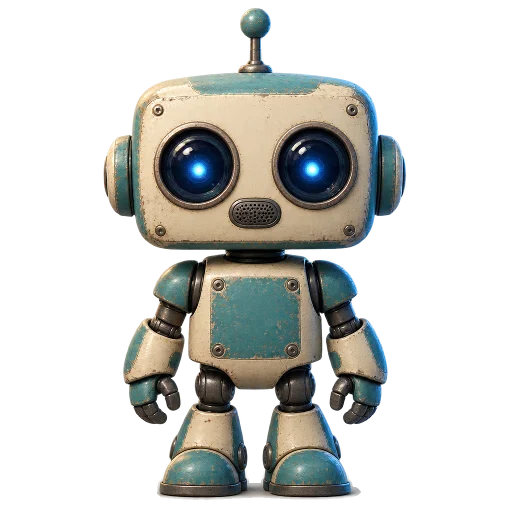
Retro Bot, a free Petodo desktop pet
Retro Bot
Teddy Bear, a free Petodo desktop pet
Teddy Bear
Dragon, a Petodo Pro character
Dragon
Unicorn, a Petodo Pro character
Unicorn
Fox, a Petodo Pro character
Fox
Owl, a Petodo Pro character
Owl
Red Panda, a Petodo Pro character
Red Panda
Bunny, a Petodo Pro character
Bunny
Raccoon, a Petodo Pro character
Raccoon
Hedgehog, a Petodo Pro character
Hedgehog
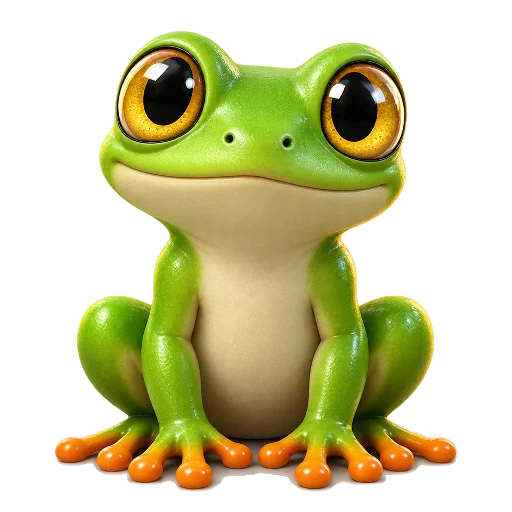
Frog, a Petodo Pro character
Frog
Duck, a Petodo Pro character
Duck
Octopus, a Petodo Pro character
Octopus
Alien, a Petodo Pro character
Alien
What's new

Petodo keeps itself up to date.

Once it's installed, new versions arrive on their own: your pet mentions it, you click restart, and that's the whole update. You never download this page twice.

1.0.9November 4, 2026

Added

  • A quick look around. The first time you open your list, your pet shows you what is where. Leave it at any step, and bring it back from Settings under Help

Changed

  • Skip the intro whenever you like. Every screen now has a way straight to the app, and adding a first task is no longer required to carry on
Pricing

Free on your devices. Pro when it follows you everywhere.

Everything that runs on your own devices is free for good. Pro is the part that keeps going across all of them, and hands your work to AI agents, and it costs us something to run every minute.

Free

$0 for good

  • The pet, and eight characters
  • Tasks in plain words, like “call Sam 2pm”
  • Reminders, snooze and repeating tasks
  • It walks over when something is coming up
  • Keep reminding me until it's done, on each device
  • Your list on three devices (the Apple Watch and the command line don't count)
Download →

Pro

Free for 14 days, then a subscription

  • Nagging that follows you across devices: phone, Telegram and Pavlok
  • Hand tasks to your AI agents over Telegram, and watch them get done
  • More than one assistant key, for Claude and the rest
  • Your calendar and email-in on your list, with Notion coming soon
  • The weekly email
  • The twelve other characters
Get Pro

Try it free for 14 days, once per account and with no card: it starts when you first connect Telegram, a Pavlok or your calendar, or turn on nagging. You see the price in the app or at checkout before you pay. Accounts made before 12 November 2026 have a year of Pro free.

Who it is for

One to-do list, set up the way you work.

Give your to-do list somewhere to live.

Free, no account, and it takes about a minute to set up.

Version 1.0.9 · 78 MB · Windows 10 and 11

Also on your phone Download on the App Store Download forAndroid